Mapbox Navigation SDK for Automotive

Create sophisticated built-in navigation. Stand up a functional proof-of-concept in just days. With Mapbox, precision, performance, and innovative features like 3D Lanes come standard.
Start at the finish line

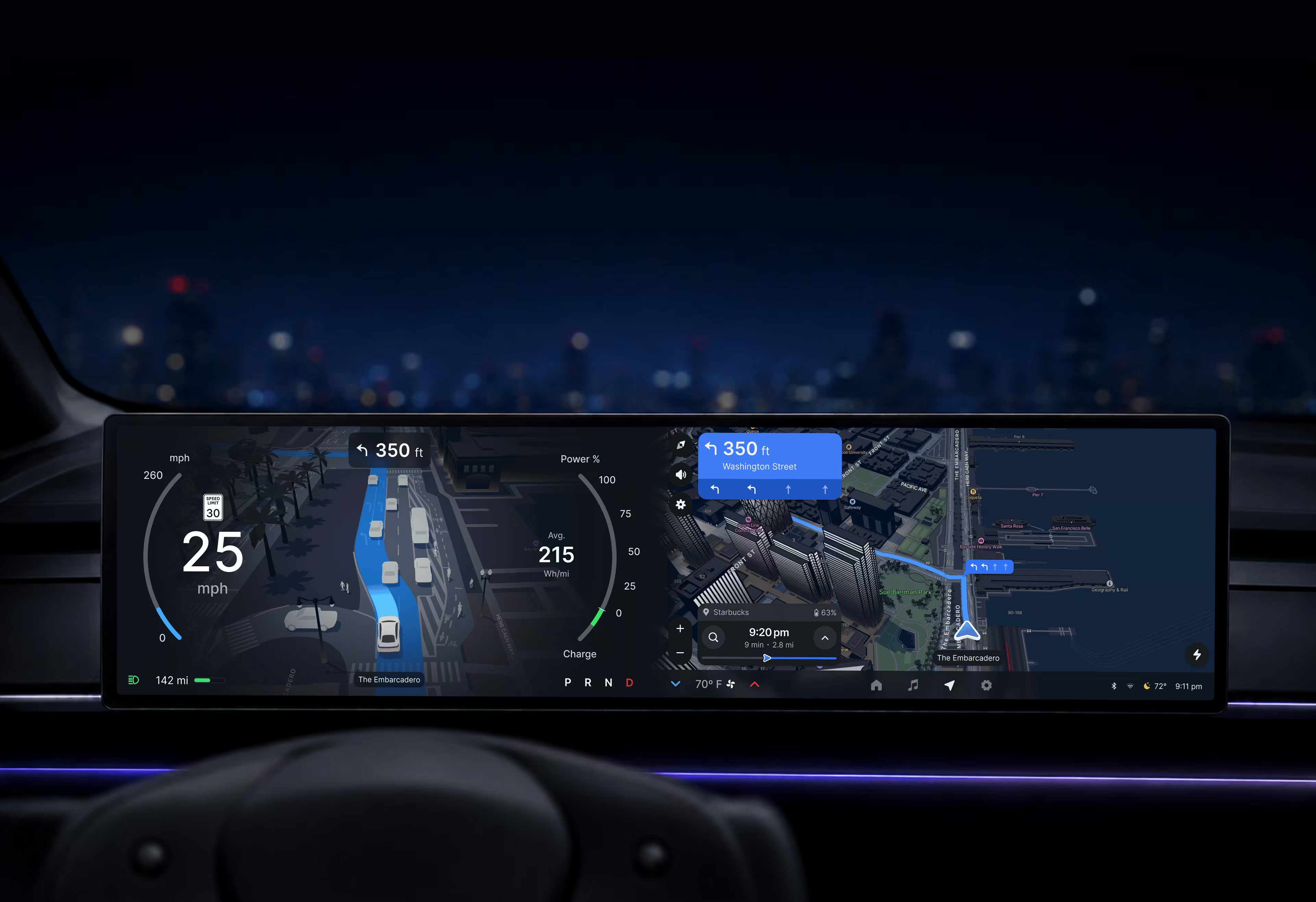
Build upon years of design experience and production hardening. Even first-of-a-kind experiences can be built quickly and reliably on Mapbox.

Ready to run

Mapbox Navigation SDK runs natively on Android or Linux and can be compiled to run on embedded hardware.

Scales across screens

High-performance, power-efficient rendering paints a beautiful picture on screens of any size, aspect ratio, or number.

Next-gen navigation has arrived

Mapbox powers advanced experiences that scale across screens and across vehicle models — all from a single codebase.

Never miss a turn with Mapbox 3D Lanes
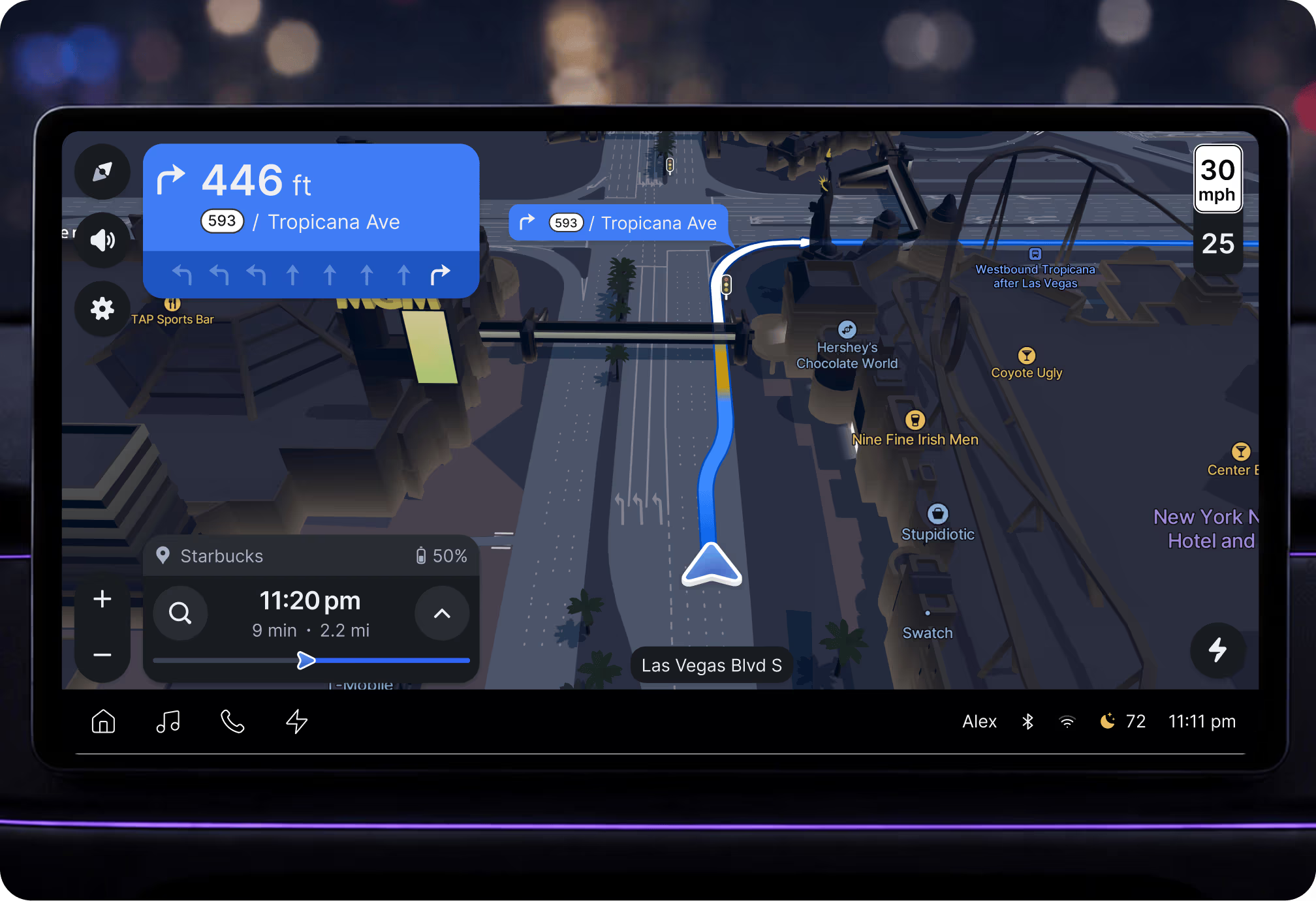
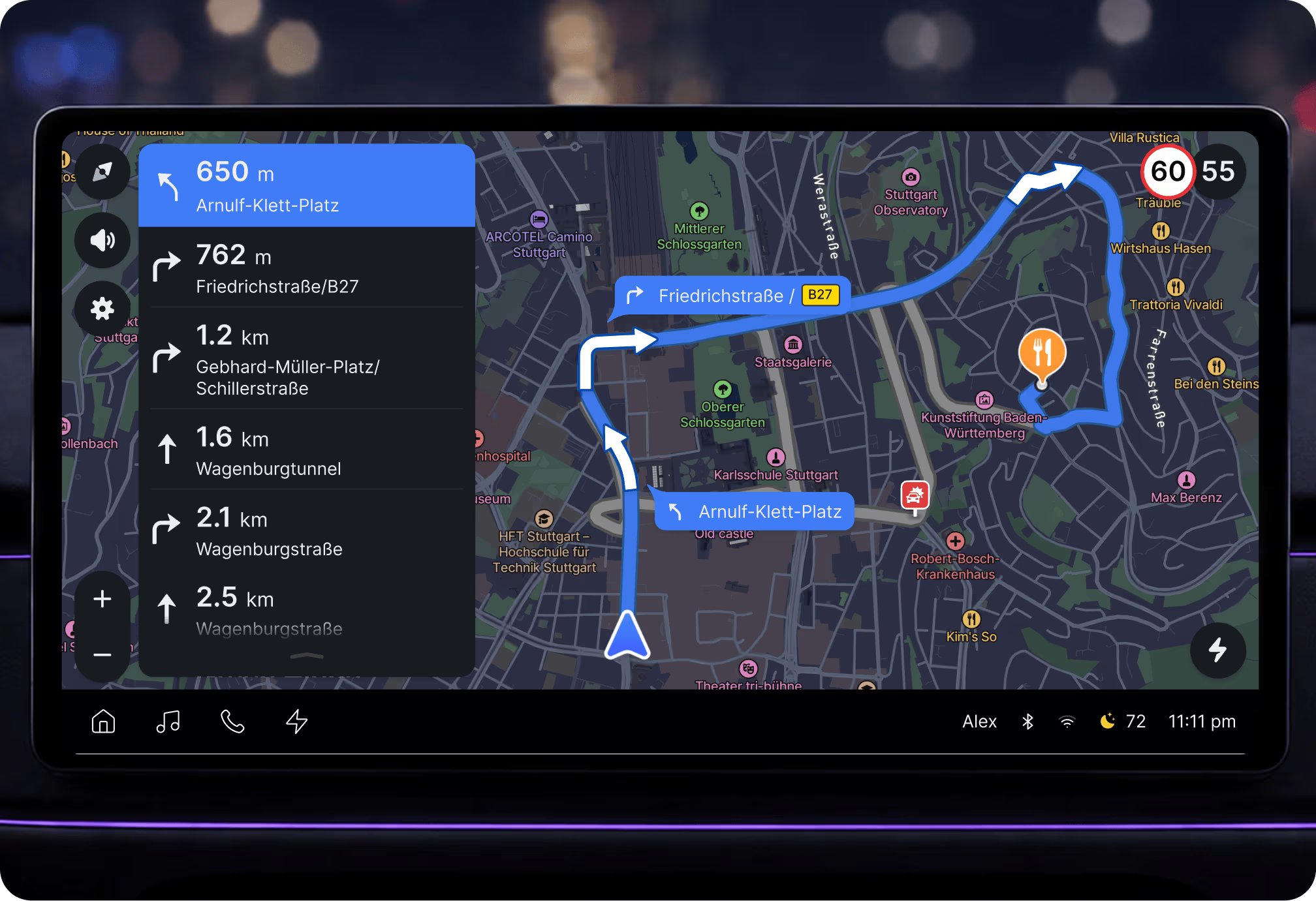
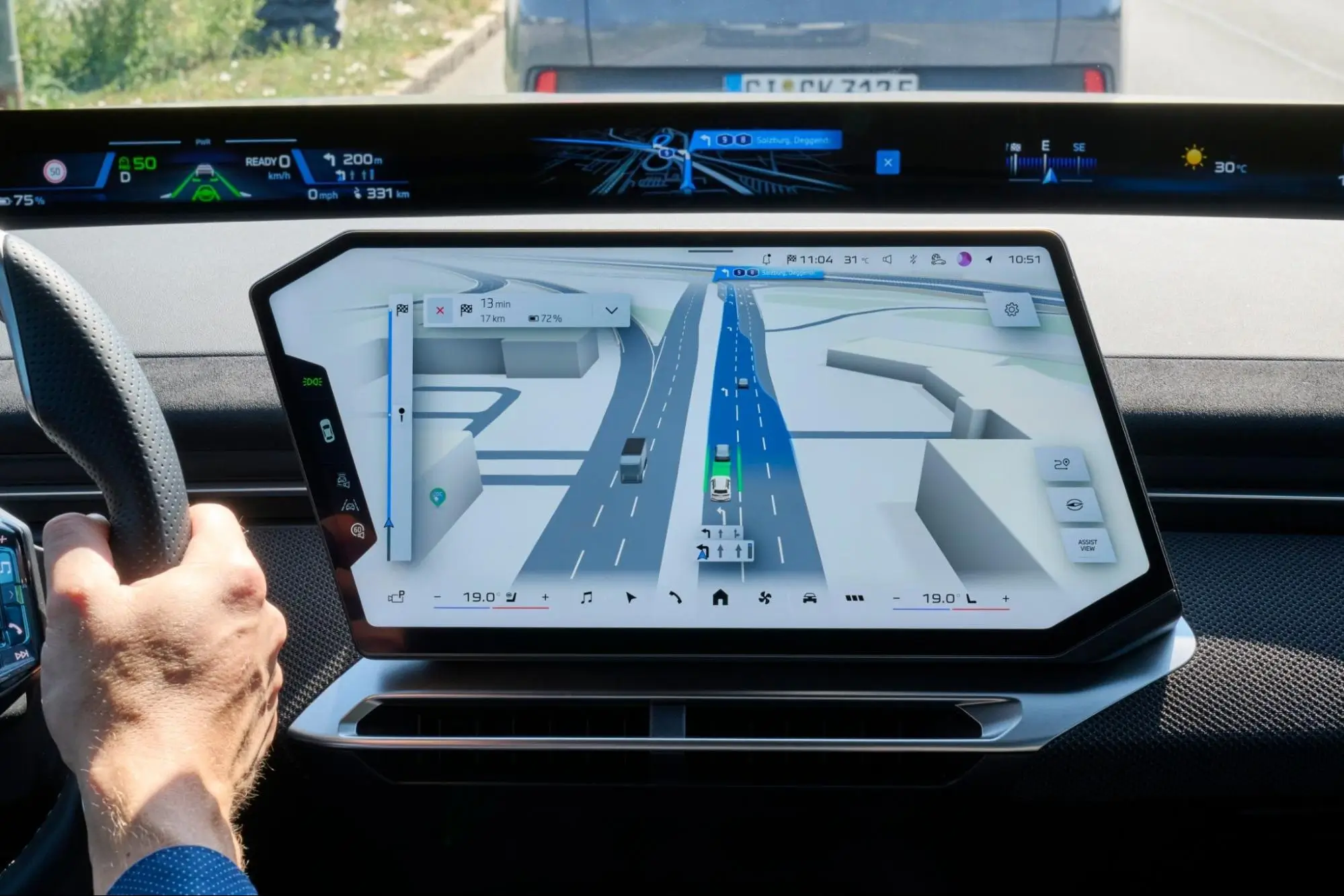
Mapbox 3D Lanes changes the navigation game. Clear guidance shows drivers precisely where they need to be to make a turn. 3D map details set the scene and help drivers instantly orient themselves for a guided navigation experience that feels effortless.

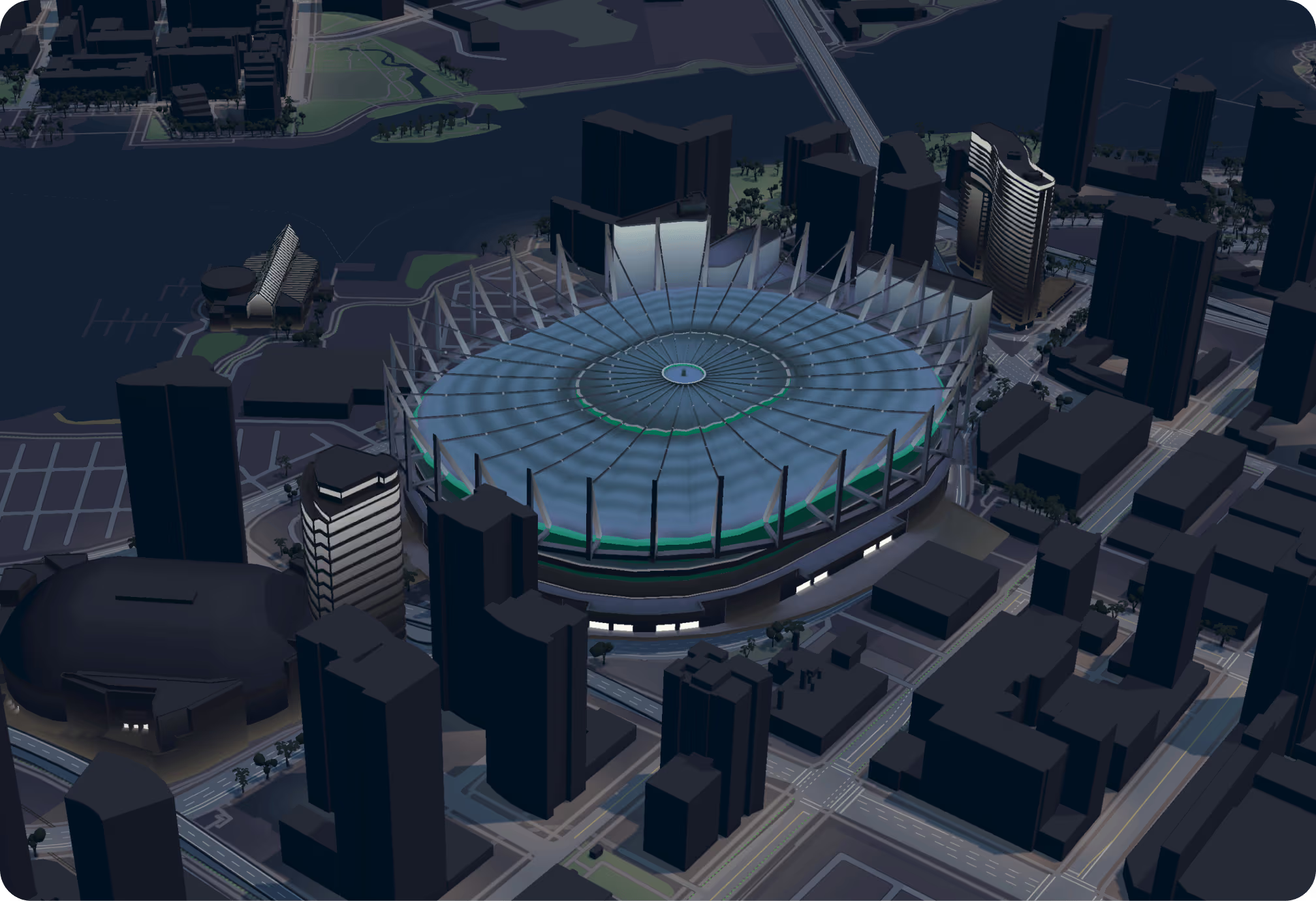
A 3D map with a point of view

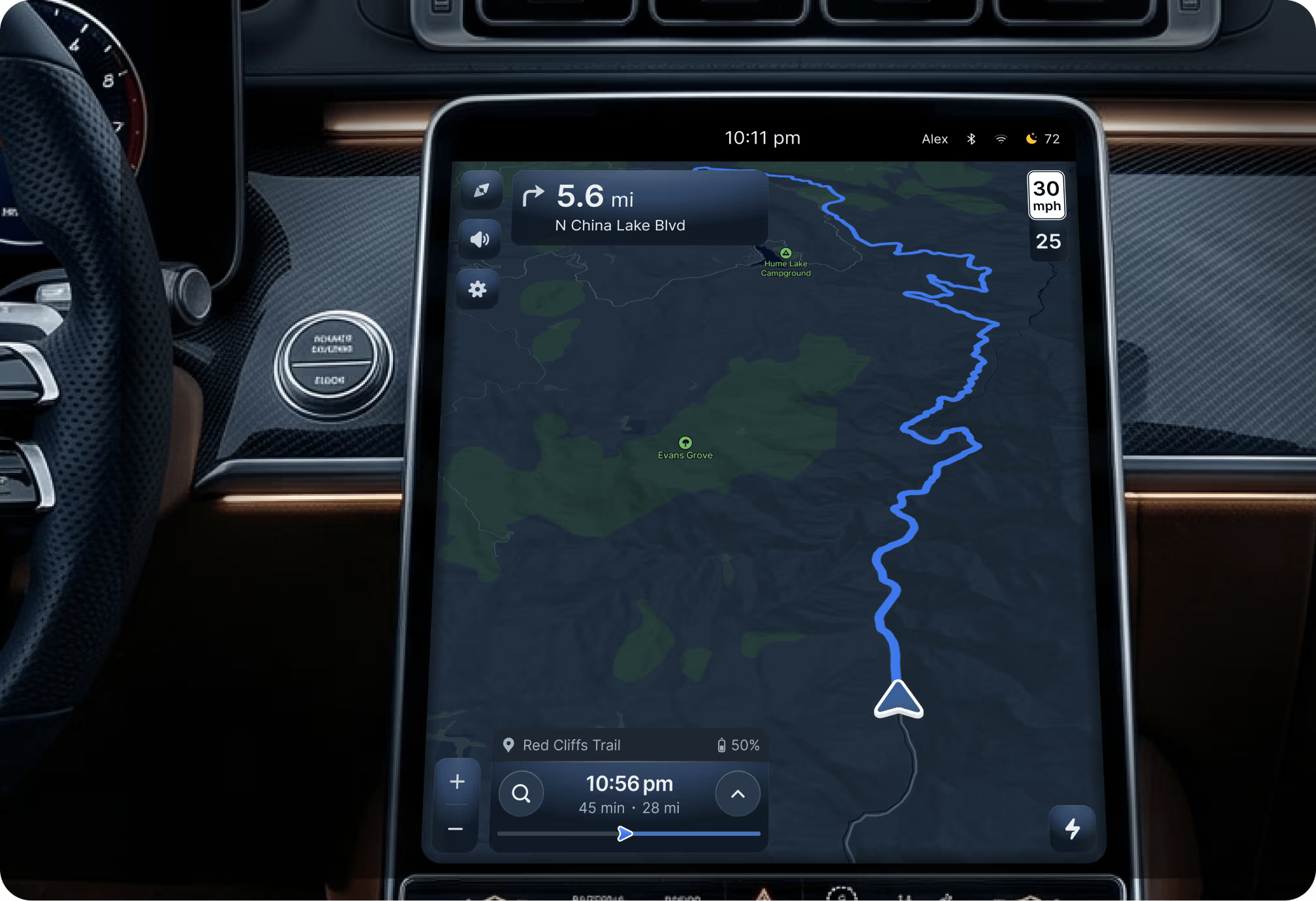
The Mapbox rendering engine powers 3D maps that raise the bar on realism. What you see on screen matches what you see through the windshield, including detailed landmarks, tunnels, bridges, and lane-level road visuals — automatically tinted to match daylight, twilight, or moonlight.

On track with Mapbox Navigation

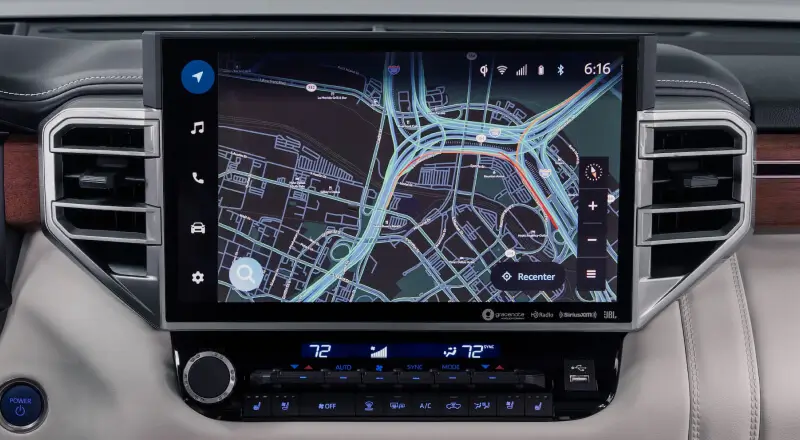
The Mapbox Navigation SDK calculates directions and alternate routes, shows route previews, and provides detailed turn-by-turn directions. Mapbox map-matching functions can use vehicle sensor data for pinpoint precision. Routes automatically adapt to live traffic and road conditions detected from millions of other road users and billions of live updates.

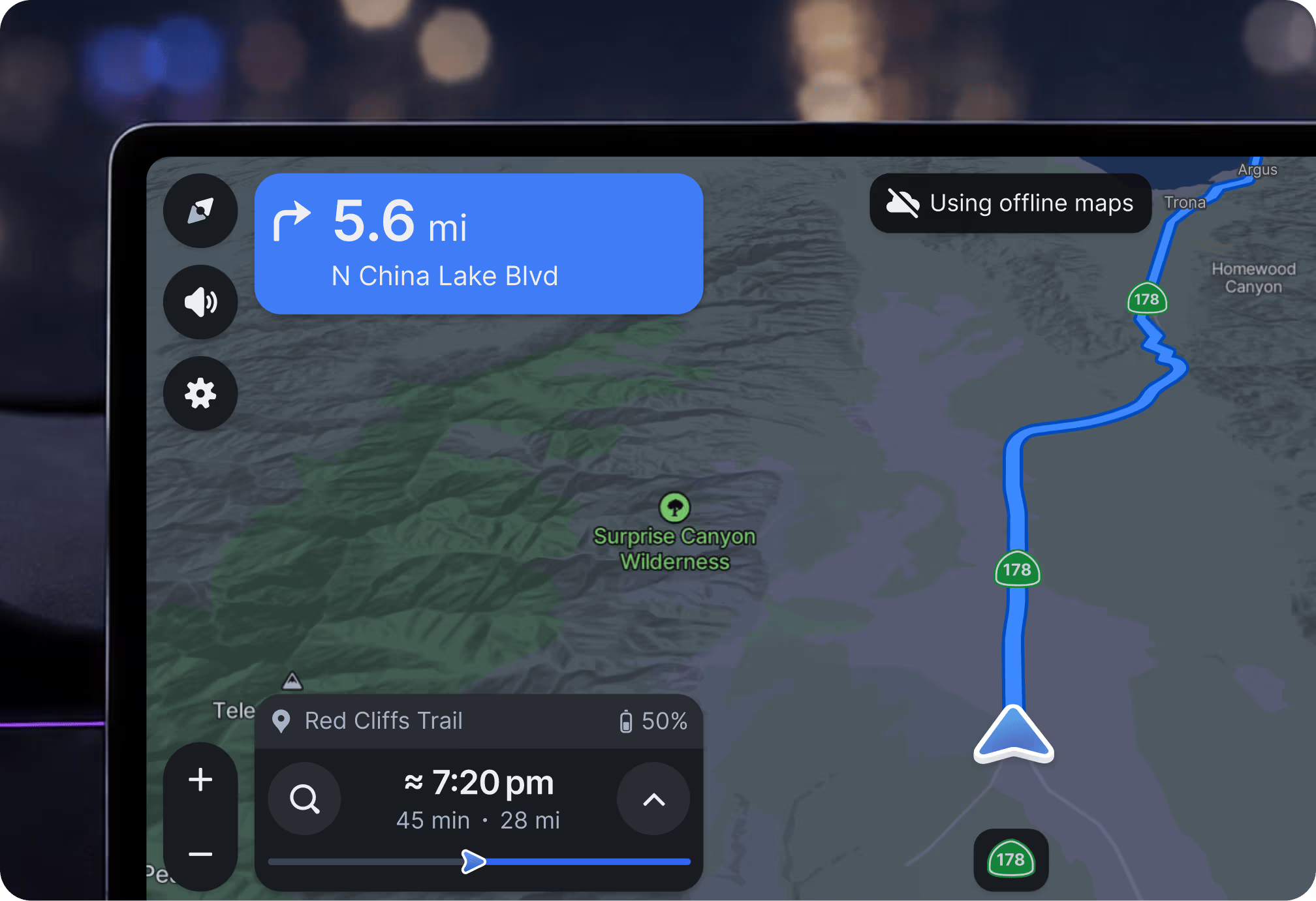
Never fear a dead zone

Gaps in cellular coverage like mountain passes or underground parking garages will not interrupt navigation because the Mapbox Navigation SDK can proactively download map data and store it in a compact tileset without sacrificing coverage or detail.

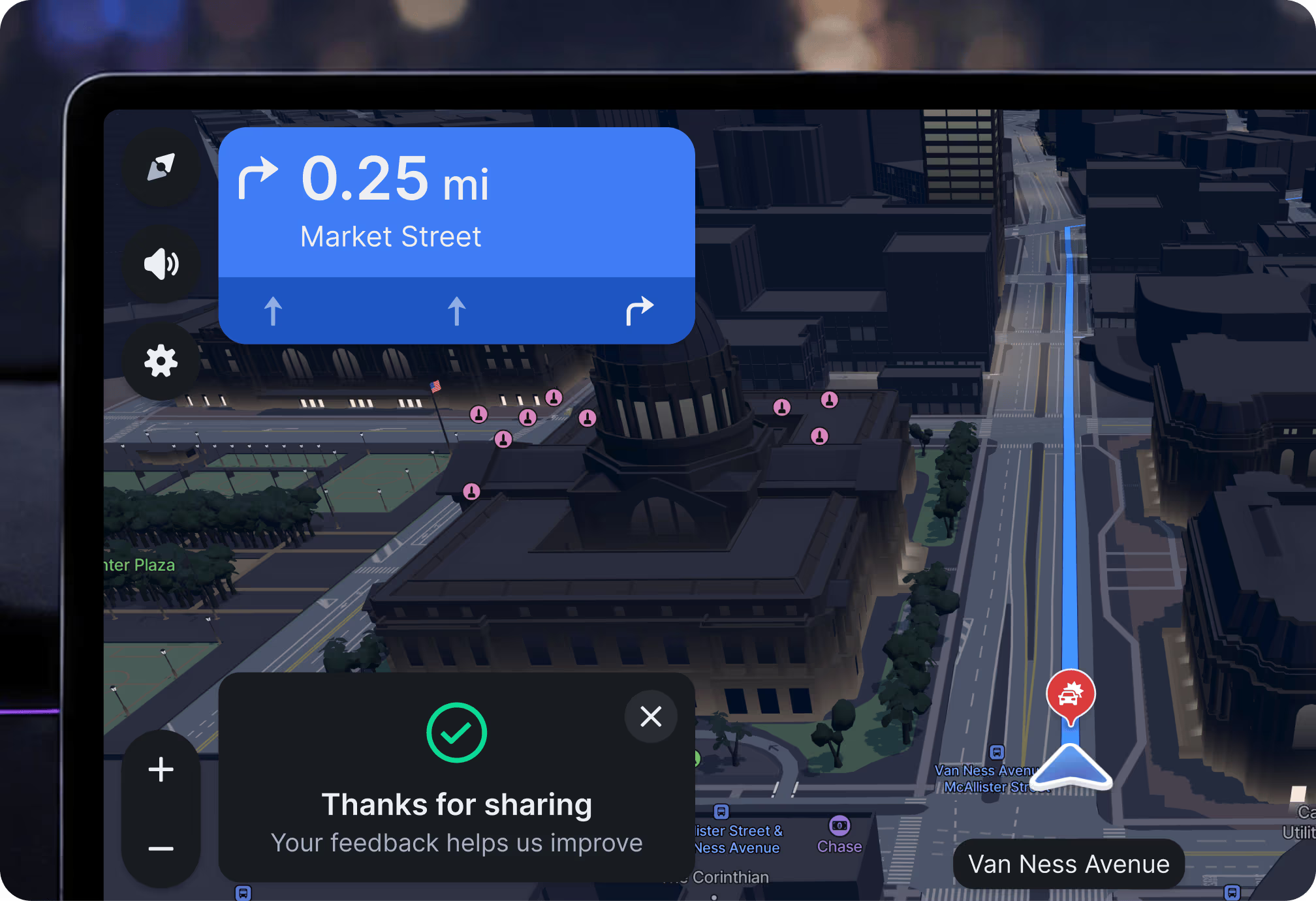
Continuous map feedback

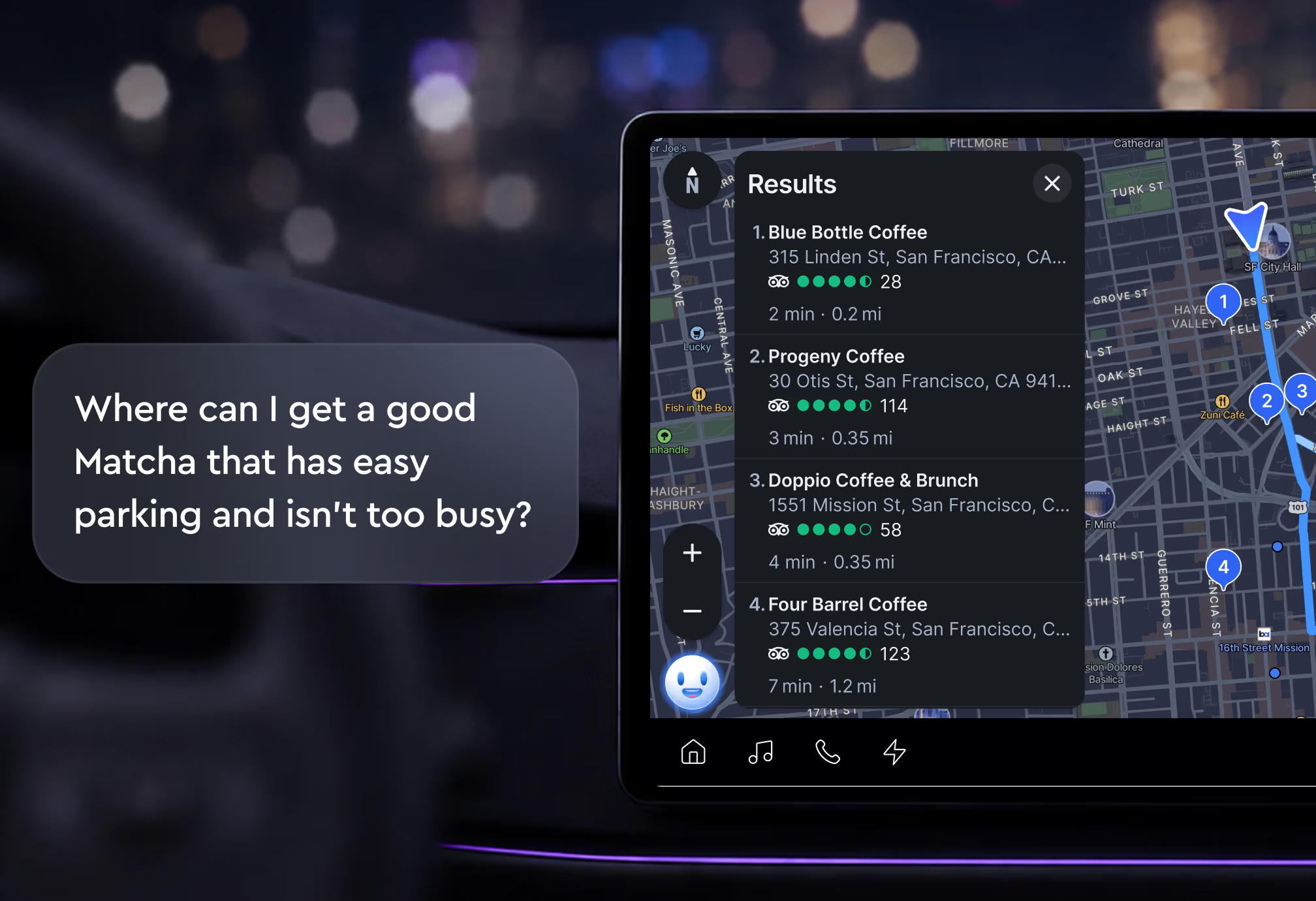
The Mapbox Feedback Agent is the easiest way to collect feedback on the go. With a tap or wake word, drivers can report anything they see on the map including traffic conditions, hazards, or even missing place names, business hours, and more.

Integrate AI and navigation

The Mapbox Navigation Agent brings voice-based, location-aware AI into the car. Drivers can create multi-stop itineraries, including planning by POI or other requests as part of a natural conversation. Deploy quickly with existing voice orchestrators thanks to industry-standard MCP and A2A protocols and pre-built integrations.

A comprehensive SDK with flexible UX

The Mapbox Navigation SDK lets developers build quickly with prebuilt or customized design patterns.

Navigation that stays on brand

Mapbox makes it easy to style maps to match your brand — whether a consistent look across a line-up or custom profiles for every vehicle interior combination. The responsive Mapbox design framework means customized UX seamlessly scales to any aspect ratio, screen size, or number of screens — all from a common codebase.

Innovate instead of reinventing the wheel
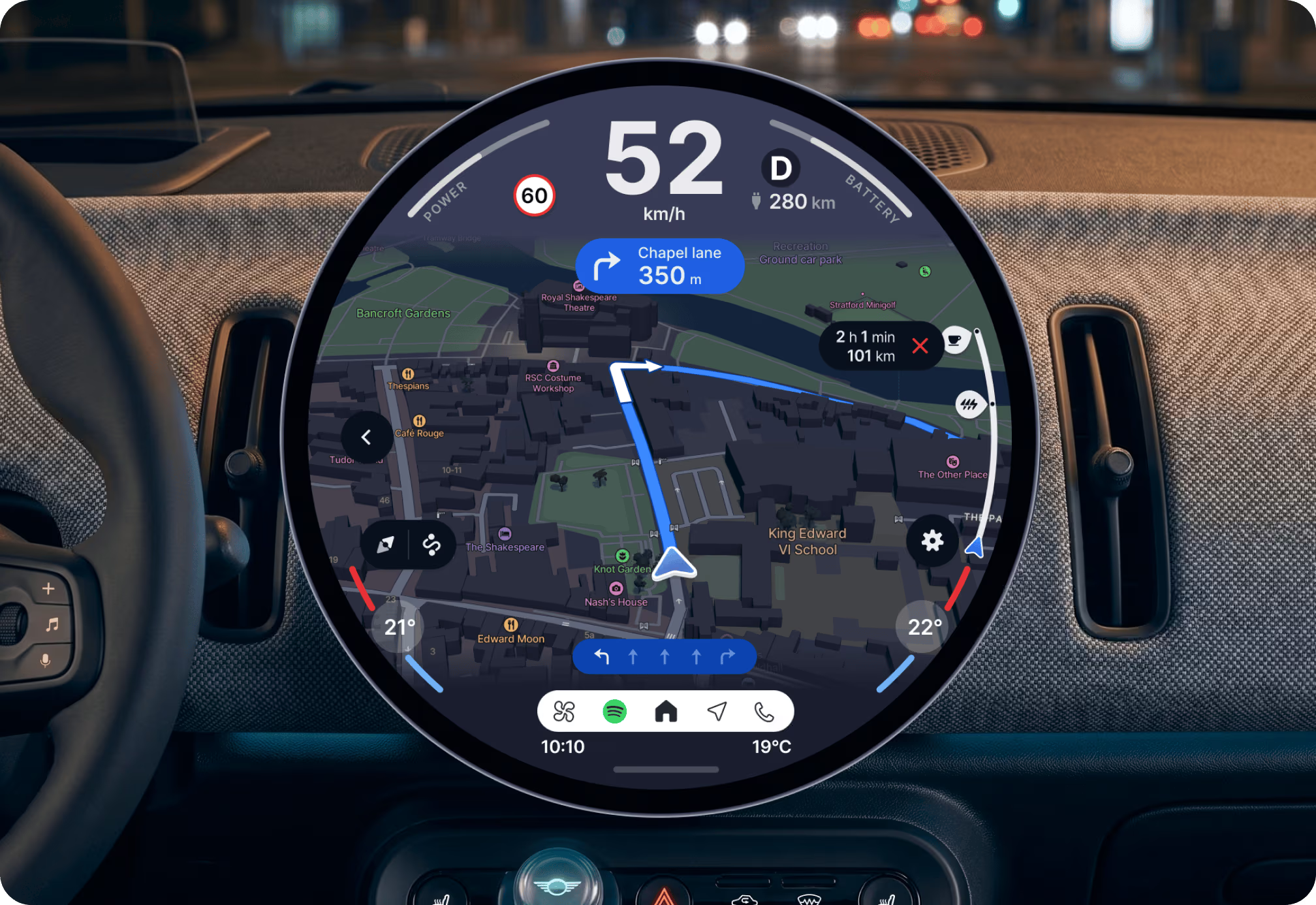
Mapbox provides a complete yet fully customizable navigation experience, with add-ons including search and voice assistant functions. Build your project on a robust foundation so you can focus on developing stand-out features that deliver differentiated value.

EV-optimized routing that adapts to vehicle and road conditions
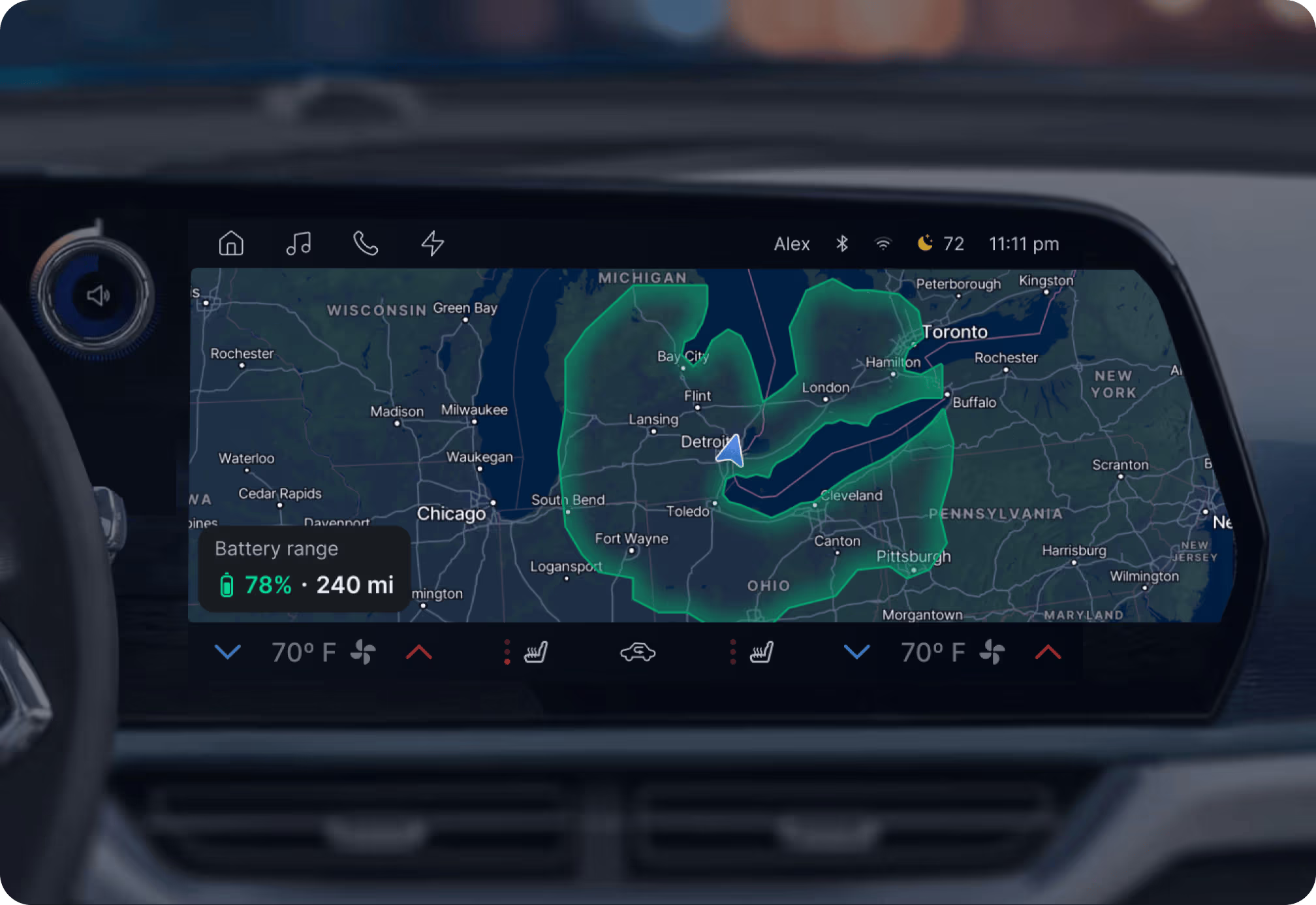
Provide EV drivers with accurate trip range, remaining battery on arrival estimates, and proactive trip suggestions based on state of charge and distance to destination. Account for live vehicle data, driver behavior, current and predicted traffic, and location context like elevation.

Companion apps complete (or start) the navigation journey
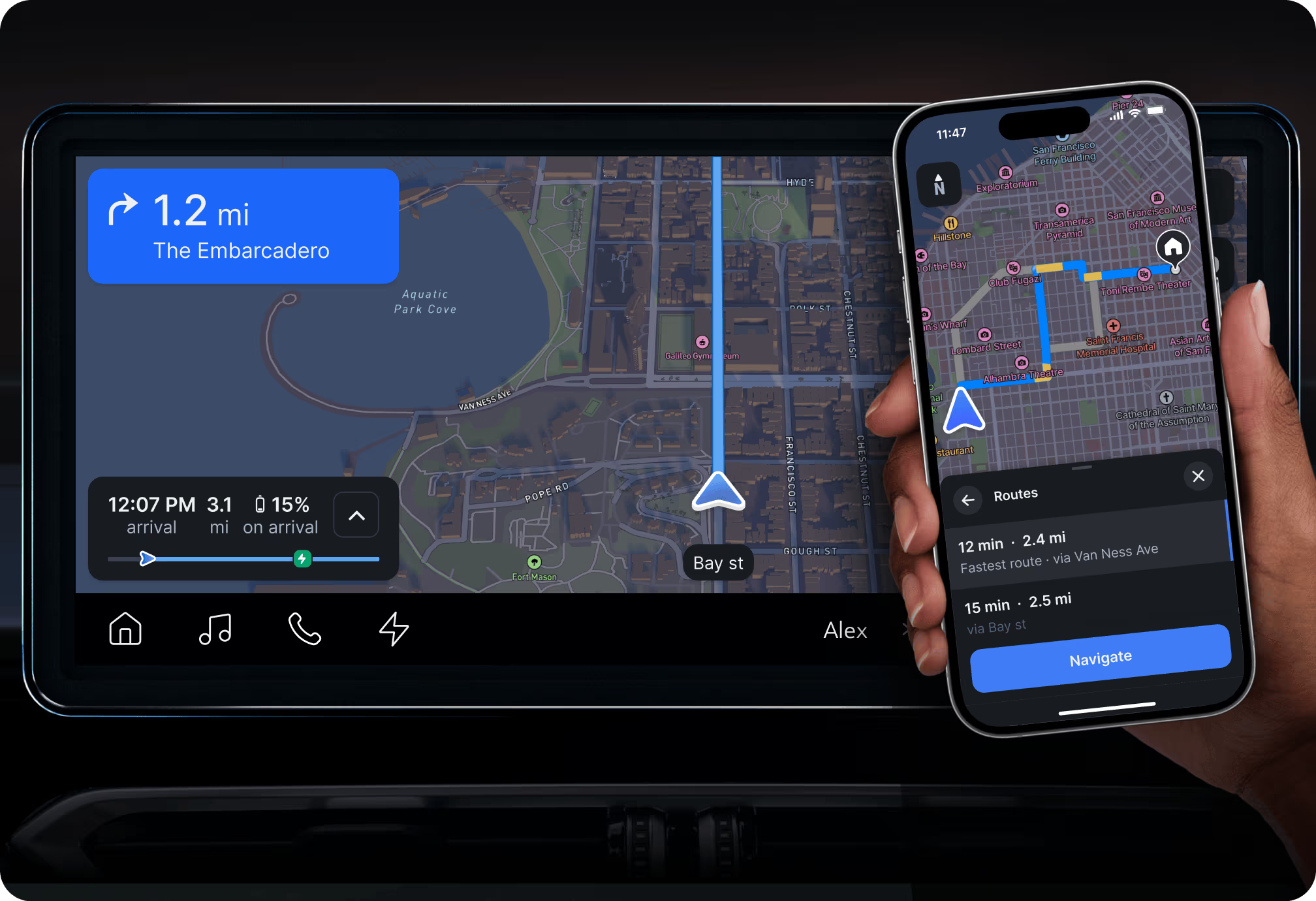
Use the Mapbox Navigation SDK for Mobile to build a companion app that lets drivers stay connected before and after the journey. Drivers can plan a trip and send to vehicle, then finish with walking directions on mobile once parked.

Key automotive features

Designed to run in-car

Runs on Android or Linux and can be modified to run on embedded hardware.

Instant map updates

Mapbox continuously improves underlying map data. Over-the-air updates are separate from application updates.

Optimized camera views

The camera view automatically adjusts to the best angle and zoom level for upcoming maneuvers and UI overlays.

Mapbox EV Charge Finder API

Help drivers plan journeys and eliminate range anxiety by seeing ideal charging stops along a route, including live availability status, charging network type, cost, nearby amenities, and more.

Any screen. Or all of them.

Develop once, deploy anywhere because the map and UI components automatically adjust for any screen size, ratio, or resolution.

Customer stories

Frequently Asked Questions

The Mapbox Navigation SDK provides everything needed to build a fully integrated in-vehicle navigation experience, including maps, routing, turn-by-turn guidance, and UI components. It also supports advanced features like live traffic, lane guidance, and offline navigation—without requiring teams to maintain underlying data or algorithms.

The Mapbox Navigation SDK is highly modular and customizable, allowing automakers to design branded, differentiated navigation experiences. Teams can tailor everything from map styling and UI components to interaction models, enabling experiences that align with vehicle design and brand identity.

To minimize data costs while ensuring accuracy, map updates are sent as incremental “delta” updates over the air (OTA). Instead of downloading entire map regions, the Mapbox Navigation SDK only fetches “map tiles” or specific attribute changes that have been updated. This keeps the onboard map current for things like new road openings or changed traffic patterns with minimal bandwidth consumption.

Mapbox Navigation SDK features a hybrid-first architecture. It utilizes local, onboard map data for routing and guidance when offline, ensuring no interruption in service. When a connection is restored, the system seamlessly synchronizes with cloud services to update traffic data, recalculate optimized routes, and refresh Point of Interest (POI) information without driver intervention.

Yes. The Mapbox Navigation SDK includes EV-specific capabilities such as range-aware routing and charging station discovery with real-time availability. It also integrates with vehicle systems to support connected experiences like energy monitoring, voice control, and infotainment interactions.

Yes. The Mapbox Navigation SDK includes support for AI-powered voice assistants like Feedback Agent and Navigation Agent, enabling natural, conversational interactions for navigation, search, and in-vehicle controls. This allows drivers to access features hands-free and creates a more seamless in-car experience.

Mapbox enhances safety through features like real-time traffic updates, lane-level guidance, and alerts for incidents or conditions along the route. Combined with intuitive visuals and voice guidance, these features help reduce distraction and improve driver awareness.

The Mapbox Navigation SDK provides an ADAS map horizon via a dedicated data feed. This delivers high-precision attributes—such as curvature, slope, speed limits, and lane-level geometry—to the vehicle’s electronic control units (ECUs). This allows for predictive features like adaptive cruise control, curve speed warnings, and optimized energy management.

Ready to get started?

Create an account or talk to one of our experts.